

Community exhibition coordinators select a small digital photograph of a village bridge for a wall display. The arch and river are recognizable, but the planned image area gives the original file much more visual responsibility than its small preview suggested. AI image editing software with an enlargement function produces another output size. The result still needs review as an image of the recorded bridge rather than as a new photograph of its stonework.
Enlargement changes how the file will be presented, including the weight of fine texture and uncertain edges. A larger image is not approved solely because its dimensions have increased. Community exhibition coordinators inspect the arch, water, and surrounding buildings together, then assess the output at the intended display scale. The teaching or historical description remains connected to documented subject information, not to newly calculated small features.
What Enlargement Adds in AI Image Editing Software
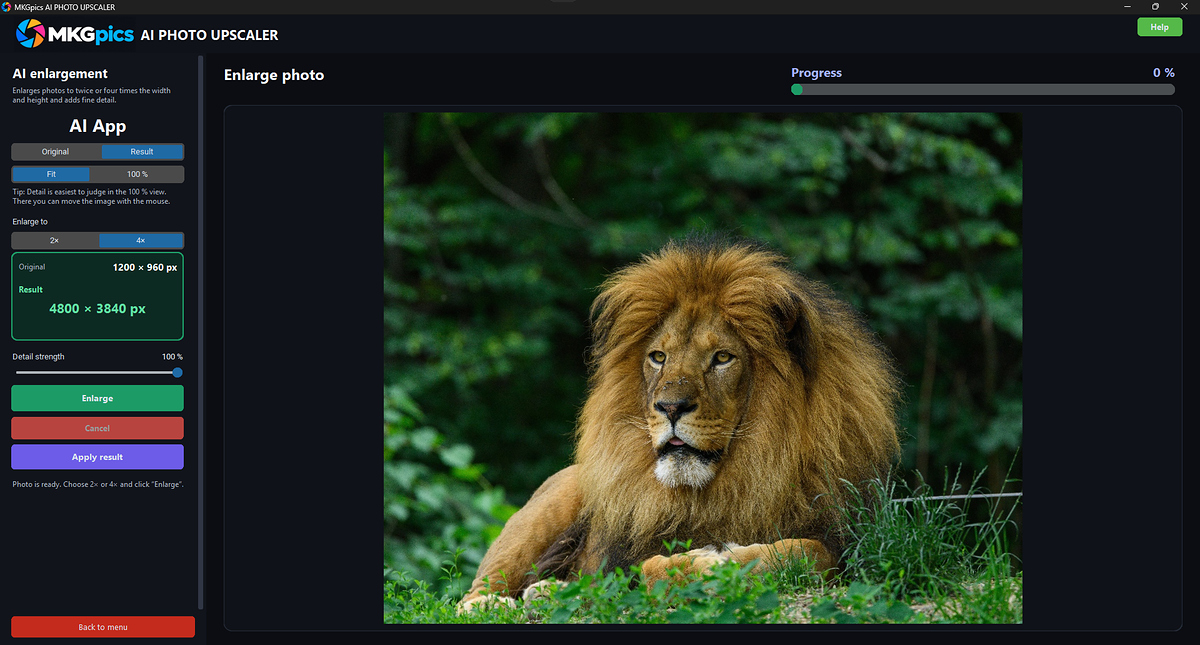
The enlargement function calculates additional image information from the photograph. Community exhibition coordinators consider the new output through the original shapes and their relationships. The broad arch and the riverbank provide different references from a tiny window on a distant building. Each has a different amount of recorded information behind its appearance.
AI image editing software is therefore judged through output size and image content together. A larger file gives fine structures more room in the presentation, but its calculated detail is not another observation of the bridge. The coordinator identifies a curved edge, a patterned surface, and a quieter area before processing. Those locations guide the review.
Select the Source before Enlarging a Cropped Detail
The full photograph and existing cropped versions are compared first. Community exhibition coordinators identify which file retains the required view of the bridge. A tight crop contains less surrounding image information than the complete source, and it gives the remaining detail a different role. The choice is made according to the exhibition question, not merely the shape of an available frame.
Before using AI image editing software, the coordinator checks whether a larger original of the same photograph exists among the supplied material. Enlargement is then considered for that file rather than an accidentally smaller derivative. A different photograph remains another source even when it shows the same bridge more sharply.
- Identify the fullest available source of the chosen photograph
- Separate a complete bridge view from an existing crop
- Select curved edges and quieter surfaces for repeated review
- Check calculated detail against the recorded subject description
- Assess the saved enlargement at its planned display scale
Review Enlarged Output in AI Image Editing Software
After processing, community exhibition coordinators inspect the arch at both ends and through its curve. A locally convincing piece of stone texture does not approve a changed bridge outline. The river and distant buildings are then assessed as separate image areas. The comparison remains attached to the same photograph rather than another view with different light or perspective.
The AI image editing software result is also judged in the context of the planned display. A close view reveals small edges, while the larger composition shows whether one calculated area attracts disproportionate attention. Both observations matter. The coordinator keeps the source and enlarged version distinguishable during this assessment. A newly prominent line is not automatically described as a physical joint.
Match the Starting Photograph to the Review Task
The chosen file contains different kinds of structure. Community exhibition coordinators distinguish the broad arch shape from irregular masonry texture and from smooth water areas. An enlargement is not evaluated by searching for a single impressive detail. The relation between these areas determines whether the photograph remains a connected view at the new presentation size.
AI image editing software is assessed through those named relationships. Available enlargement choices are considered by their actual saved dimensions and their effect on the image. A larger output is not a compulsory destination when the display role changes. The coordinator reviews the resulting file for its particular placement and caption. Different starting materials create different questions: an already sharpened derivative needs another comparison from a relatively untouched source.
| Starting Material | Effect | Result | Use Case |
|---|---|---|---|
| Complete small bridge photograph | Calculated information supports a larger output image | Enlarged scene with relationships requiring review | Wall display using the full recorded view |
| Tight crop around the arch | Remaining detail receives more compositional weight | Closer presentation of a smaller recorded area | Supporting image beside an overview |
| Curved outline against darker water | New edge treatment influences the shape impression | Boundary checked against the original curve | Assessment of the bridge silhouette |
| Irregular stone surface | Fine texture becomes more prominent at display size | Pattern evaluated without new construction claims | Exhibition photograph with a material emphasis |
| Quiet river area beside buildings | Broad tonal relationships remain part of the review | Connected scene rather than isolated strong detail | Large image viewed with its complete composition |
| Previously sharpened smaller derivative | Earlier image treatment enters the enlargement input | Output compared with its actual source state | Selection among several supplied versions |
Separate New Texture from Recorded Construction Information
Community exhibition coordinators compare newly prominent features with the source before describing the bridge. A plausible line in masonry is not independently a documented joint. The caption is checked against the supplied subject information and any other recorded references. This keeps the enlargement decision separate from the factual interpretation of the structure.
With AI image editing software, the same distinction applies to small building openings and railings in the distance. Their new appearance is assessed as image treatment. Another source photograph is used when a lesson requires a more reliably recorded construction detail. The enlarged view retains its purpose as a presentation of the selected photograph rather than becoming evidence of an additional survey. It defines what the coordinator is approving: a useful display version whose appearance has been examined, with uncertain small forms kept separate from established statements about the place.
Review Enlargement in AI Image Editing Software
The AI image editing software enlarges the photograph and supports comparison with the original as further edits are considered. Community exhibition coordinators inspect subject outlines and surface appearance before approving an additional treatment. The enlarged file from AI image editing software is checked against the planned display area before the arch curve and stonework are inspected; output dimensions and calculated surface detail therefore receive separate approval.
The accepted output is saved as a separate PNG, JPG, WebP, TIFF, or PDF, leaving the original available. Community exhibition coordinators open the saved version and check its actual dimensions and display role. The caption and file identity accompany that output. Another size or crop begins another review rather than automatically inheriting the approval of a smaller working view or a previous placement in a different exhibition layout.
Approve the Larger Image for a Defined Display Role
Community exhibition coordinators evaluate AI image editing software through the source photograph, the calculated result, and the planned presentation scale. Enlargement is approved through outlines, texture, and the whole composition together. A bigger file or an impressive isolated patch is not enough. The caption remains grounded in recorded subject information, while the saved output is identified as the display version of a known source. A tighter crop or another placement starts another assessment. This connects the enlargement function with a practical exhibition decision without treating calculated small details as new historical observations or assuming that every supplied small photograph belongs at the largest possible size in the display.